This is a step by step detailed guide on how to pay and confirm your payment on our website.
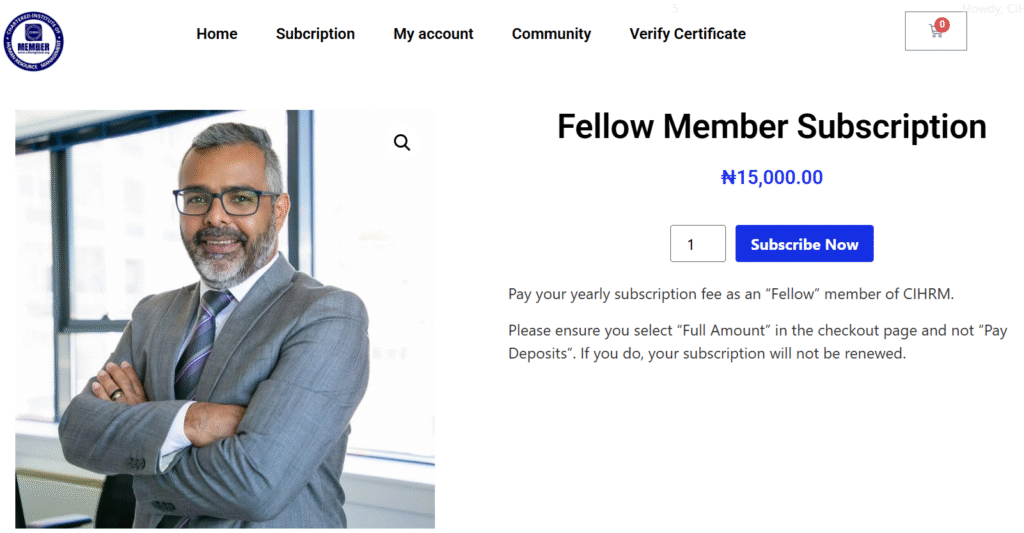
Step 1: Select Your Membership Subscription/Program
Once you select the subscription/program you would like to pay for, you should click on the Primary Button to make your payment.
This might be Subscribe Now as seen in the image above or Pay Now.
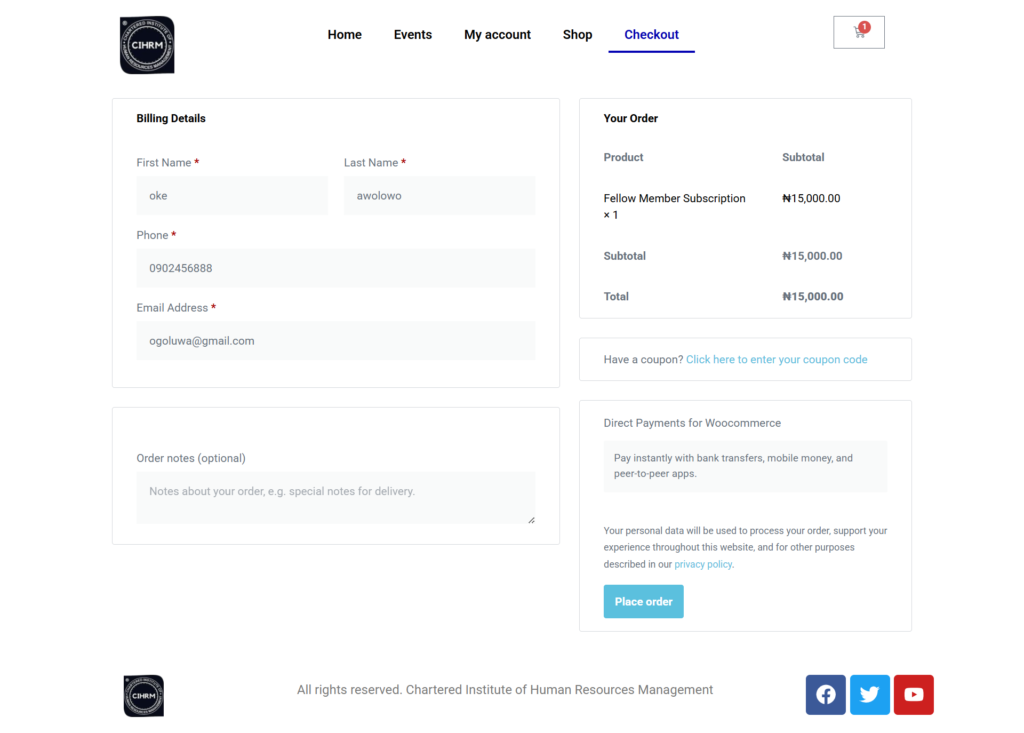
Step 2: Fill in your information and Place order
Fill in your information on the form. Make sure they are correct and is corresponding to every info you have filled on this website for proper documentation. Once done, click “Place order“
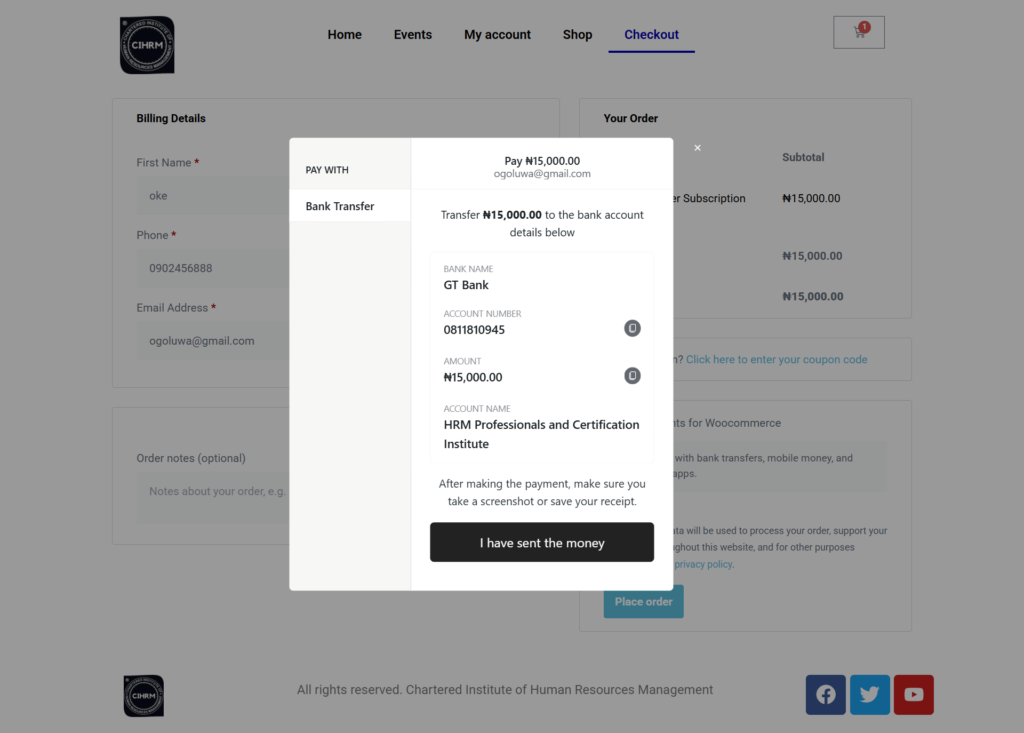
Step 3: Make your Payment
You will see a pop up to complete your payment. If you have already made a payment it is fine, all you need to do is click on “I have sent the money” upload your payment receipt and submit.
Step 4: Thank you page
Once you have completed your payment on paystack you will be taken to this Thank you page and you will receive an email from us, giving you details of the next step.
Final Note: If you have made payment previously before coming to the website, you can still upload your receipt this way.
With this we are able to streamline our payment and payment confirmation process for our members.